
Free employee attendance sheet and tracker templates
A colour-coded employee attendance tracker for your team, a yearly attendance and leave calendar, a monthly attendance sheet employees sign (also in Word), a daily sign-in sheet and a time card. Every template comes as an editable Excel file and a print-ready PDF, with 2027 PDFs ready for next year. Use them today, and switch to a digital clock-in app when the paperwork starts to slip.
Employee attendance tracker (monthly)
Your whole team on one sheet: a row per person, a column per day. Pick a code from the dropdown (present, late, sick, vacation and more) and the sheet colours it, shades weekends and counts totals and attendance rates.
- Up to 30 people per month
- Colour-coded codes you can rename
- PDF with every month of 2026
Best for · Supervisors tracking a team's attendance month by month
In EasyHours · See who is clocked in, late or off today on a live attendance board, without filling in a grid.
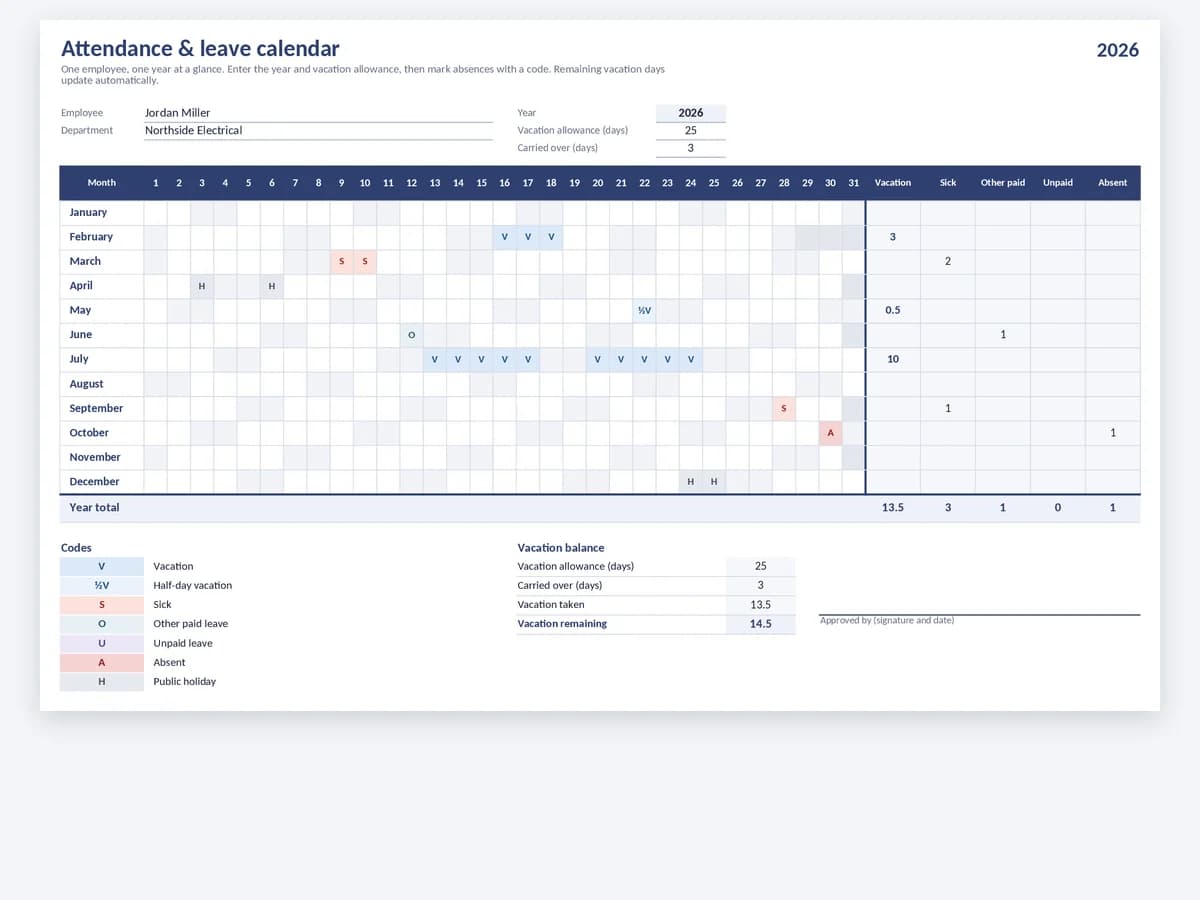
Yearly attendance and leave calendar
A full year for one employee on a single page. Mark vacation, sick days and other absences, and see totals per month plus the vacation days left from the allowance.
- The whole year at a glance
- Vacation allowance and balance
- Printable 2026 calendar
Best for · Annual leave tracking and absence records per employee
In EasyHours · Employees request time off in the app, you approve it, and the vacation balance updates itself.
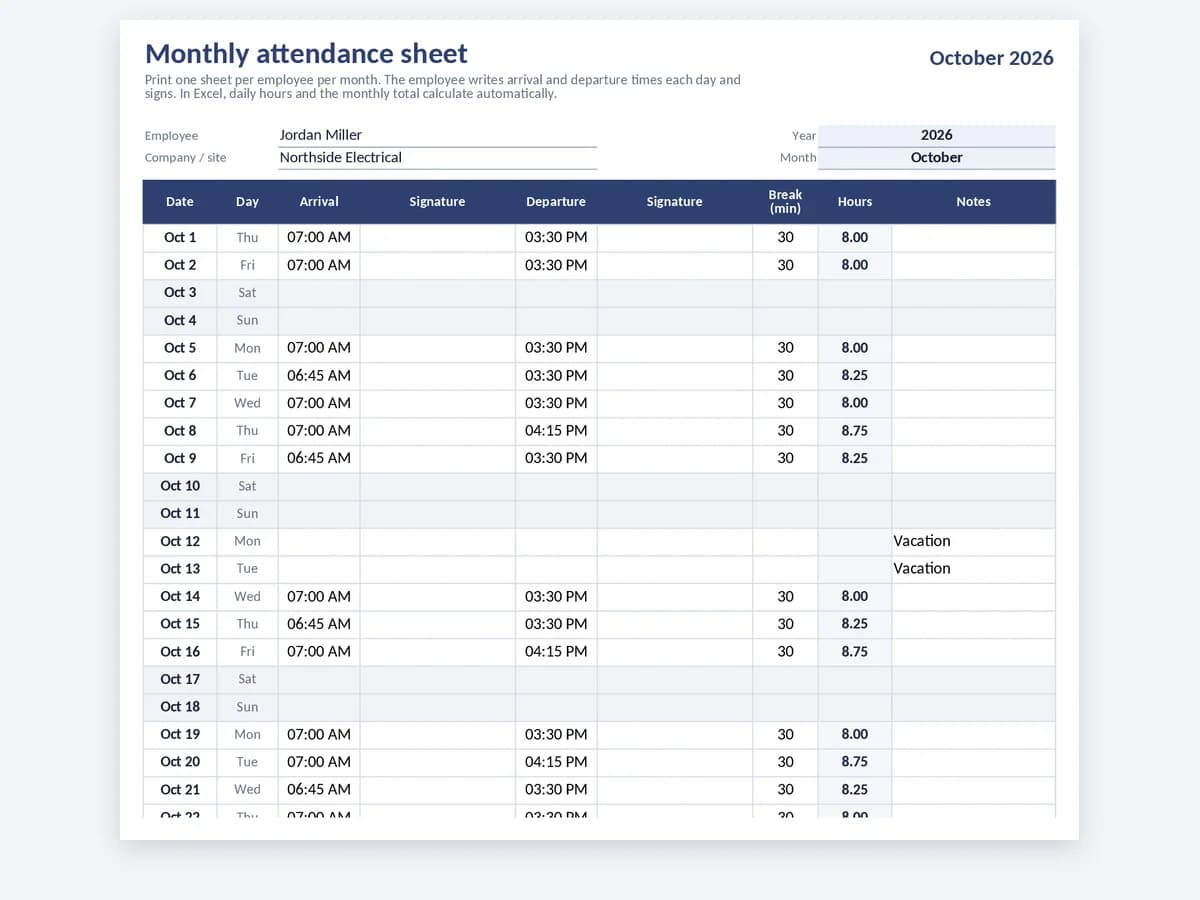
Monthly attendance sheet with signatures
One sheet per employee per month, with arrival and departure times and a signature for each. The PDF comes pre-dated for every month of 2026, and the Excel version adds up the hours.
- Signature on arrival and departure
- Pre-dated PDF for every month of 2026
- Daily and monthly hours in Excel
Best for · Paper attendance records that employees sign each day
In EasyHours · Every clock-in is recorded with time and place, so you have a record without daily signatures.
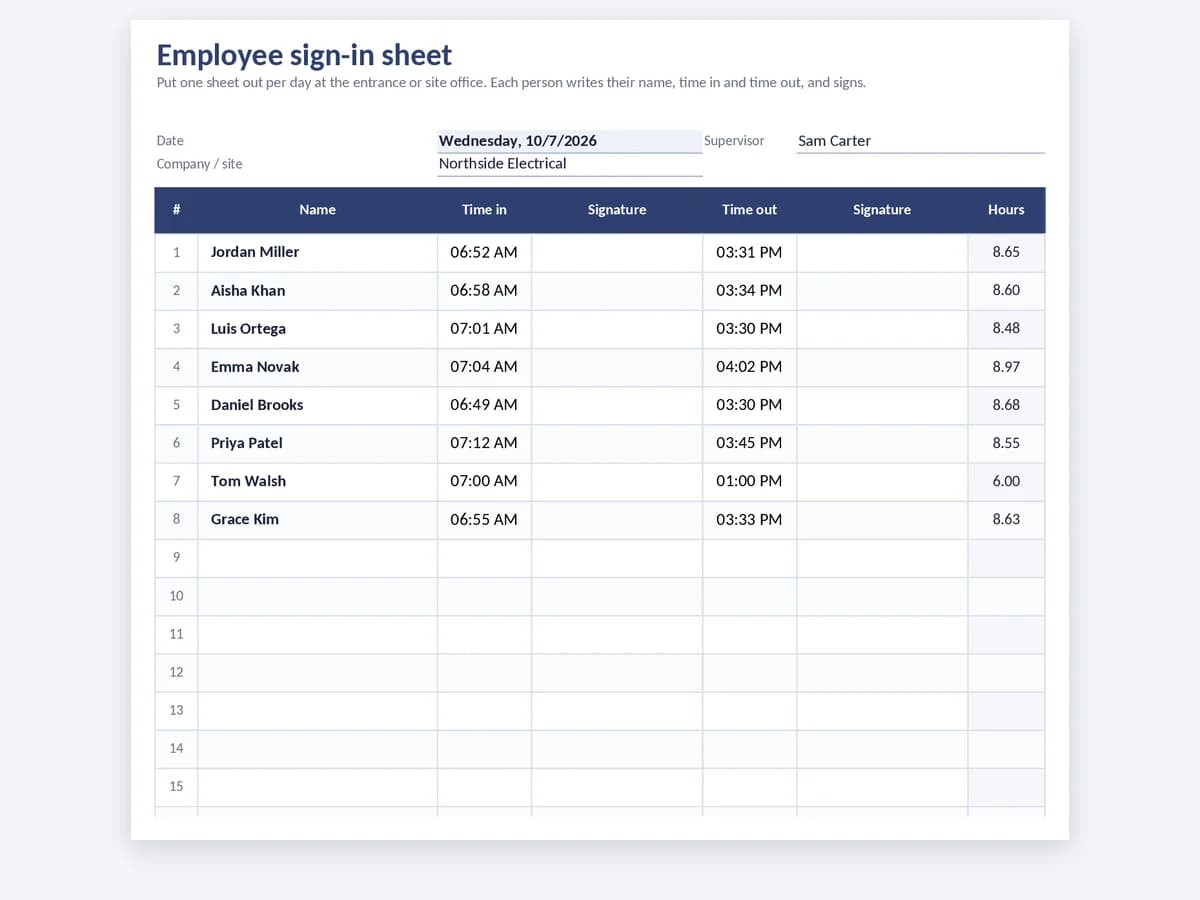
Employee sign-in sheet
A daily sign-in sheet for the site office or front desk: name, time in, time out and signatures for 25 people, with a supervisor sign-off.
- 25 names per day
- Signature on arrival and departure
- Excel version adds up the hours
Best for · Job sites, front desks, training days and temporary crews
In EasyHours · A shared tablet at the entrance works as a clock-in kiosk: tap your name and you're clocked in.
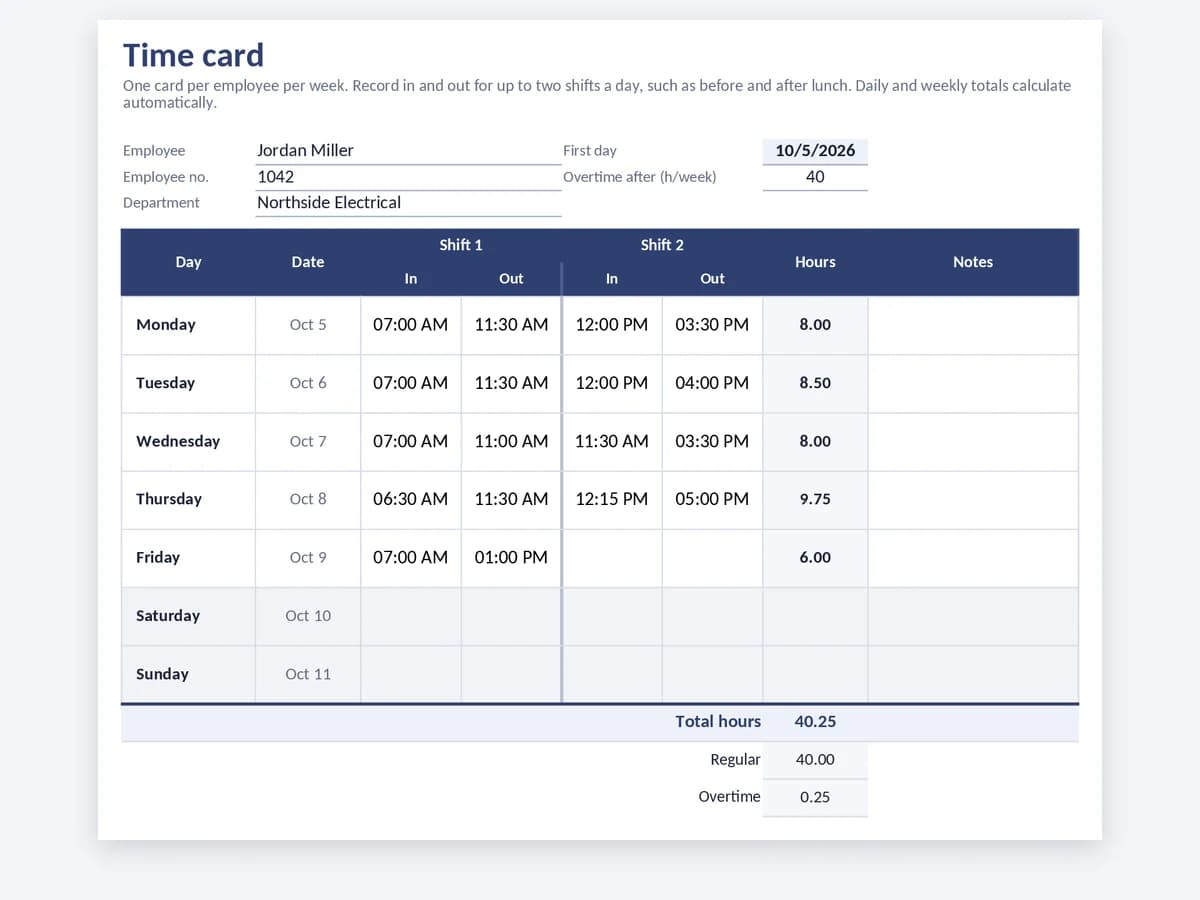
Clock-in time card
A weekly time card per employee with in and out for up to two shifts a day. Daily and weekly totals calculate in Excel, and the PDF prints two cards per page.
- Two in/out pairs per day
- Weekly total and overtime
- PDF with two cards per page
Best for · Hourly staff, split shifts and clock-in/clock-out records
In EasyHours · Workers clock in and out with one tap on their phone or a shared tablet, lunch breaks included.

Attendance sheet template questions
What's the difference between an attendance sheet and a timesheet?+
An attendance sheet records whether each employee was present, absent, or late on each day — the basic 'who was here, when' record needed for shift teams and HR. A timesheet records how many hours each employee worked, often broken down by project, customer, or task. Most of these templates can serve both purposes; the difference is how you frame the columns.
Can I edit the templates for my company?+
Yes. Nothing is locked, so you can add your logo, add columns for sites or departments, or rename the attendance codes. Dropdowns, colours and totals follow the codes in the legend automatically. Shaded cells hold formulas, so leave those as they are.
Can a paper or spreadsheet attendance sheet be used as a legal record?+
It depends on your jurisdiction. Most employers are required to keep a record of working time that's accurate, accessible, and retained for a defined period (often years). A spreadsheet can be a legal record if it's complete, dated, attributable to a specific employee, and protected from silent edits — but in practice that's hard to prove without an audit trail. Treat these templates as a starting point, and consult local rules before relying on them for inspection or payroll disputes.
When the sheet starts managing you, switch to EasyHours
EasyHours gives employees one-tap clock-ins on mobile or a shared kiosk, managers a review queue, and payroll a clean export. Start with a sheet today, then move to the app when manual tracking starts to slip.